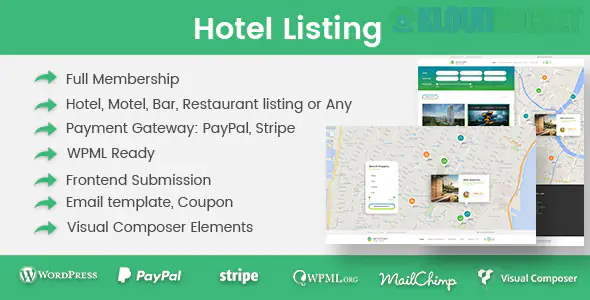
The term "Hotel Listing WordPress Plugin" refers to a category of specialized extensions designed to turn a standard WordPress website into a full-featured online booking and reservation system for a hotel, B&B, apartment rental, or other accommodation business.
These plugins go far beyond simple forms; they manage room inventory, pricing, and guest bookings automatically.
Here is a breakdown of the leading options and the essential features you should look for:
The market for these plugins is competitive, but a few names consistently stand out based on feature set, stability, and customer support:
MotoPress Hotel Booking: Widely regarded as the most comprehensive, dedicated solution. It works with any theme, includes essential features like iCal synchronization (to avoid double-bookings when listing on Airbnb or Booking.com), and has strong WooCommerce integration.
WP Hotel Booking (ThimPress): A popular free option that provides core features like room management, basic bookings, and coupon options. It can be extended with paid add-ons for things like additional payment gateways (Stripe, Authorize.net).
HBook – Hotel Booking System: Known for its clean user interface, excellent customization options for forms and widgets, and robust support for seasonal pricing and booking rules.
WooCommerce Bookings + Accommodation Add-on (Automattic): This is the official WooCommerce solution. It requires the paid WooCommerce Bookings extension, plus the Accommodation Bookings free add-on. This is best if you want to leverage the entire WooCommerce ecosystem (payments, taxes, etc.).
A high-quality hotel listing plugin must handle three core areas: Inventory, Pricing, and Management.
Room/Property Types: Ability to define and list various types of rooms (e.g., "Double Suite," "Family Apartment") with detailed descriptions, galleries, and amenities.
Capacity: Set the maximum number of guests (adults/children) per room type.
Availability Calendar: A clear, visual calendar showing real-time availability for customers and a comprehensive occupancy overview for the admin.
Check-in/Check-out Logic: Designed specifically for overnight stays, calculating pricing based on the number of nights, not just days or hours.
Seasonal Pricing: Ability to set custom rates for specific date ranges, seasons (e.g., peak summer, Christmas), weekends, or holidays.
Custom Rates: Set different rates for the same room (e.g., a "Non-Refundable Rate" vs. a "Flexible Rate").
Extra Services: Option to upsell and add paid services or packages during checkout (e.g., airport transfer, breakfast, late check-out).
Online Payments: Seamless integration with major payment gateways (PayPal, Stripe, etc.), often using WooCommerce as the payment processor.
iCal Synchronization (Crucial): Automatic two-way sync with external calendar platforms like Airbnb, Booking.com, and Google Calendar to prevent crucial double-bookings.
Booking Management: A centralized admin panel to manually add, approve, confirm, reject, or modify reservations.
Email Notifications: Automated emails for booking confirmation, payment success, and pre-arrival reminders to both the customer and the admin.
Tax and Fee Management: Easy configuration for handling local taxes, cleaning fees, and security deposits.
If you are starting a new hotel website, I recommend looking closely at MotoPress Hotel Booking or the WooCommerce Bookings solution, as they offer the most complete feature sets for a dedicated accommodation business.
Do you plan to manage a single property, or are you building a marketplace for multiple owners (like an Airbnb model)?
Subscribe to access unlimited downloads of themes, videos, graphics, plugins, and more premium assets for your creative needs.
.jpg) Help Us to Buy More New Theme/Plugin
Help Us to Buy More New Theme/Plugin
Published:
Dec 12, 2025 17:08 PM
Version:
v1.4.0
Category:
Author:
OtherLicense:
GPL v2 or Later