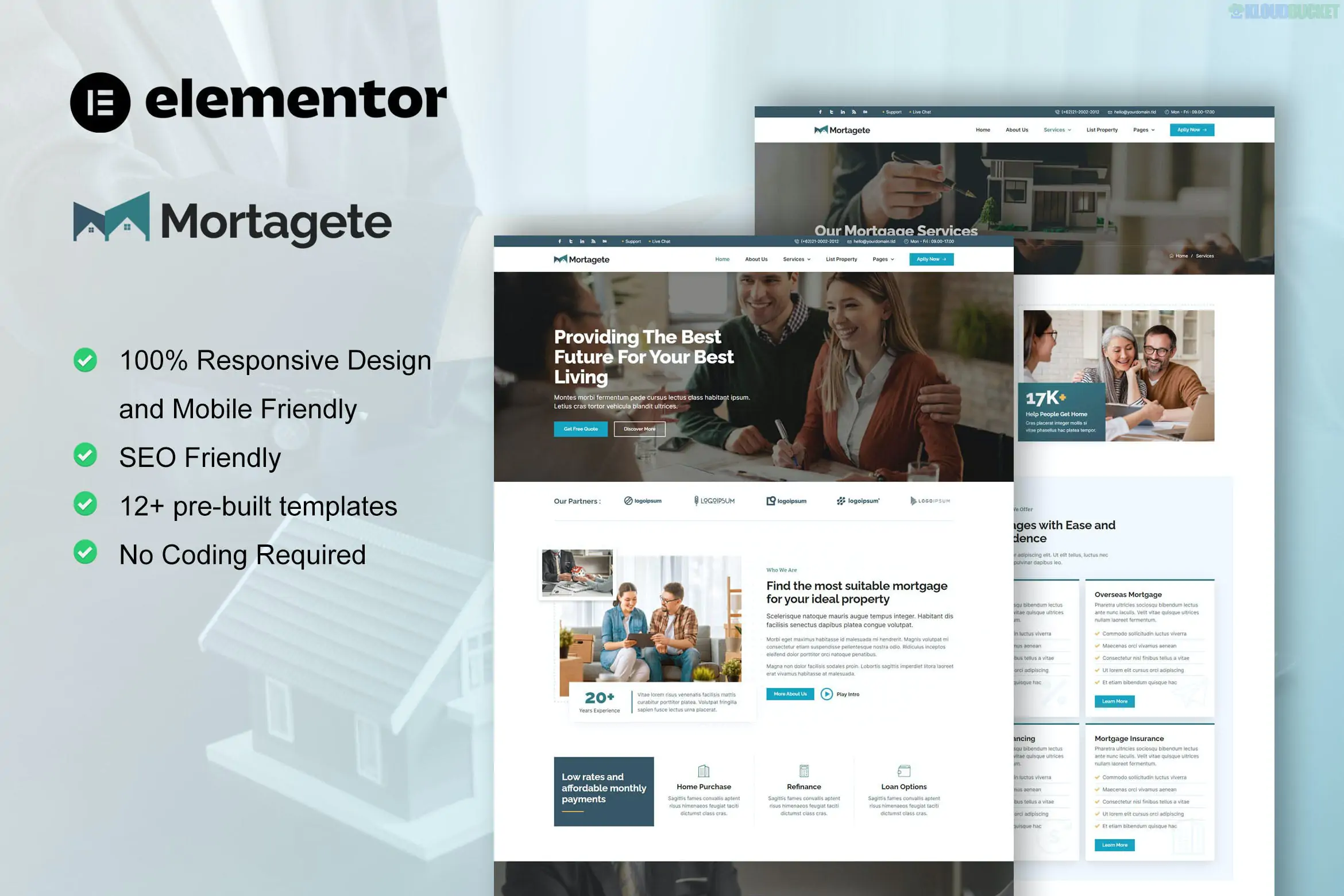
**Mortagete** is a premium **Elementor Template Kit** designed for mortgage companies, loan brokers, and financial advisors. Developed by **moxcreative** (the same creator of the Decozia and Archidream kits), it focuses on a professional, corporate aesthetic that builds trust with clients looking for home financing.
### Key Features
* **12+ Pre-designed Templates:** Includes layouts for Home, About, Services (Loan Types), Service Details, FAQs, Team, Blog, and Contact.
* **Modern & Trust-Focused Design:** Uses a clean, structured layout with a "financial" color palette (typically deep blues or teals) to convey stability.
* **No Coding Required:** Built with a "what you see is what you get" editor.
* **Optimized for Hello Elementor:** Specifically built to run on the lightweight Hello theme for maximum speed.
---
### Technical Requirements
To get your site looking exactly like the Mortagete demo, you will need to install these plugins (mostly free):
1. **Elementor (Free):** The core page builder.
2. **Elementor Pro:** **Note:** This kit is often listed as "Built with Elementor Pro." While you can import parts of it into the free version, things like the **Header, Footer, and Single Blog Template** usually require a Pro subscription to function correctly as global templates.
3. **ElementsKit Lite:** Used for advanced widgets and some layout components.
4. **Skyboot Custom Icons:** Often bundled or requested during import to display the specific icon set used in the design.
---
### How to Install & Set Up
1. **Preparation:** Install the **Hello Elementor** theme and the **Envato Elements** plugin.
2. **Upload the Kit:** Go to **Elements > Installed Kits** and upload your `mortagete.zip` file.
3. **Install Requirements:** Click the orange **"Install Requirements"** banner at the top to activate the necessary helper plugins.
4. **Import Global Styles First:** This is the most important step. Import the **"Global Kit Styles"** first so that your colors, fonts, and button styles apply to the subsequent pages.
5. **Import Pages:** Import the Home page, About page, etc., one by one. They will be stored in your **Templates > Saved Templates** library.
6. **Create Your Pages:** Go to **Pages > Add New**, click "Edit with Elementor," then use the gray folder icon to insert your imported template from the "My Templates" tab.
### Special Considerations for Mortgage Sites
* **Loan Calculators:** Most template kits do **not** include a functional, math-based mortgage calculator out of the box (they usually just provide the visual layout). You may need to add a plugin like *WP Amortization Calculator* or *Responsive Mortgage Calculator* to provide actual calculation features to your visitors.
* **Images:** As with most kits from Envato, the professional photos of houses and brokers are usually placeholders or require a separate license. You should be prepared to replace them with your own high-resolution imagery.
**Would you like me to recommend a specific mortgage calculator plugin that integrates well with Elementor, or do you need help setting up the Header and Footer templates?**
Subscribe to access unlimited downloads of themes, videos, graphics, plugins, and more premium assets for your creative needs.
.jpg) Help Us to Buy More New Theme/Plugin
Help Us to Buy More New Theme/Plugin
Published:
Dec 29, 2025 16:24 PM
Category:
Author:
OtherLicense:
GPL v2 or LaterTags: