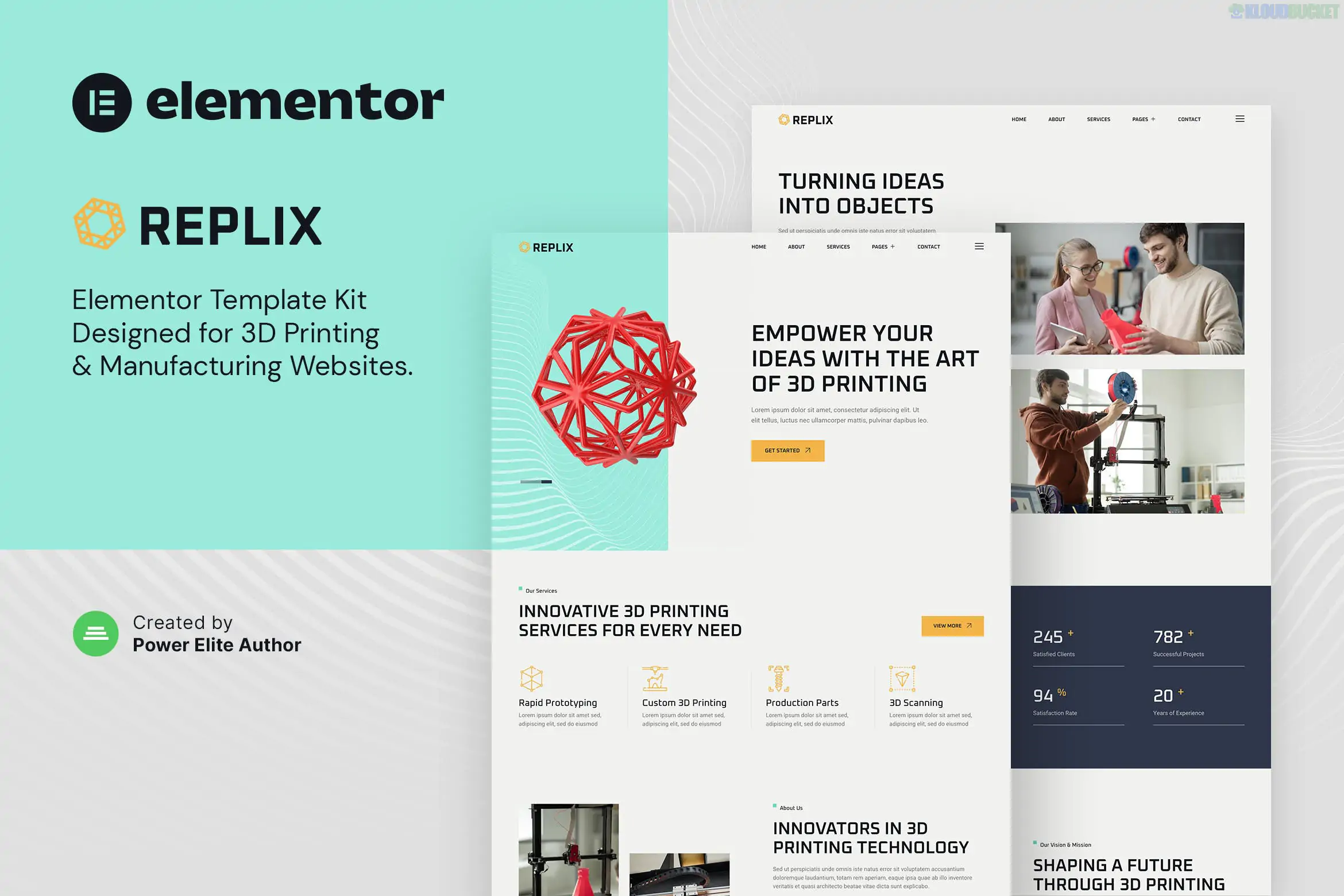
Replix – 3D Printing & Manufacturing Services Elementor Template Kit is an innovative, industry-specific layout collection designed for 3D printing services, digital print shops, and high-tech manufacturing firms. Developed by Jegtheme, it combines a clean, technical aesthetic with practical sections for showcasing prototyping and precision work.
Notably, this kit is built to work with the free version of Elementor, making it a cost-effective solution for industrial startups.
No Elementor Pro Required: You can build a complete, professional site without a paid Elementor subscription.
Retina Ready & Responsive: Ensures that complex 3D renders and detailed equipment photos look sharp on all screens.
Modern Industrial Design: Uses a high-tech color palette and grid systems that reflect the precision of the manufacturing world.
One-Click Import: Easily deploy the entire design structure using the Envato Elements plugin.
Home Page: A powerful landing page with hero sections for service overviews and client trust signals.
Services & Service Detail: Dedicated layouts to explain 3D modeling, SLS/SLA printing, or CNC machining.
Portfolio / Projects: A gallery style to showcase completed 3D prints or manufactured parts.
Pricing: Transparent tables for different printing materials or service tiers.
About Us: A page to highlight your machine shop’s technology and team expertise.
FAQ & Contact: Clean layouts for troubleshooting and inquiry forms (integrated with MetForm).
Blog: Templates for sharing industry news or technical 3D printing guides.
Header & Footer: Global templates to maintain a consistent brand identity across the site.
To ensure all features (like the contact forms and headers) work correctly, you will need to install these free plugins:
Elementor (Free)
Jeg Elementor Kit: Handles the advanced widgets, header/footer builder, and global styles.
MetForm: Powering the custom "Request a Quote" and contact forms.
Technical Tip: Before importing the pages, always import the Global Kit Styles first. This ensures that the specific industrial fonts and primary colors are applied correctly to all subsequent page imports.
Install Base: Activate the Hello Elementor theme and the Envato Elements plugin.
Upload: Go to Elements > Installed Kits and upload the Replix Zip file.
Plugins: Click the orange Install Requirements banner to auto-activate the necessary free plugins.
Import Styles: Import the "Global Kit Styles" template.
Create Pages: Create a new page (e.g., Home), set it to Elementor Full Width, and use the "My Templates" tab to insert the Replix Home layout.
Would you like me to help you draft a "3D Printing Service Checklist" for your new site, or do you need help configuring the MetForm quote request fields?
.jpg) Help Us to Buy More New Theme/Plugin
Help Us to Buy More New Theme/Plugin
Published:
Dec 30, 2025 17:31 PM
Category:
Author:
Advanced AdsLicense:
GPL v2 or Later