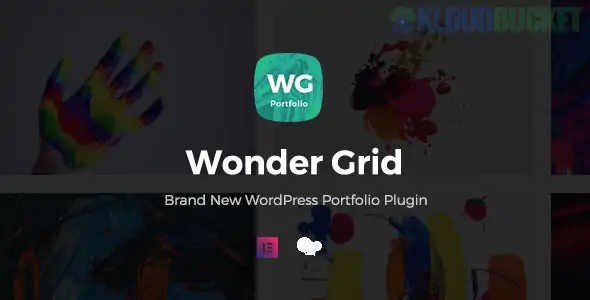
**Wonder Grid** (specifically **Wonder Grid Gallery** by WonderPlugin or the **Wonder Grid Portfolio Plugin** by FocuxTheme) is a high-performance WordPress plugin used to create professional grids for images, videos, and portfolio projects. It is widely used by photographers, designers, and agencies to showcase their work in a clean, responsive layout.
There are two major versions often associated with this name: the **Wonder Grid Gallery** (WonderPlugin) and the **Wonder Grid Portfolio Plugin** (CodeCanyon/FocuxTheme). Below are the details for the more common **Wonder Grid Gallery**.
---
### Key Features
* **Multi-Media Support:** Showcase images, YouTube, Vimeo, self-hosted MP4 videos, PDF documents, and even WooCommerce products in a single grid.
* **Filterable Categories:** Add buttons or dropdowns to your gallery so users can filter projects by category (e.g., "Web Design," "Photography," "Branding").
* **Responsive & Mobile Ready:** Grids automatically adjust for mobile, tablet, and desktop. You can manually set the number of columns for different screen sizes.
* **Built-in Lightbox:** When a user clicks a grid item, it opens in a beautiful popup (Lightbox) that supports video playback and image zooming.
* **Page Builder Integration:** Full support for **Elementor**, **WPBakery**, **Divi**, and the native WordPress **Gutenberg** block editor.
* **Lazy Loading:** Improves site speed by only loading images as the user scrolls down to them.
---
### Technical Requirements
* **WordPress Version:** Compatible with 5.0 and above.
* **Page Builders:** Works with most major builders but includes dedicated widgets for Elementor and WPBakery.
* **PHP Version:** Works best on PHP 7.4 or 8.x for speed and security.
---
### How to Create a Portfolio Grid (Step-by-Step)
1. **Install & Activate:** Once installed, go to **Wonder Grid Gallery > New Gallery** in your WordPress dashboard.
2. **Add Images/Videos:** Click "Add Image" or "Add Video." You can pull images from your Media Library or enter URLs for YouTube/Vimeo.
3. **Choose a Skin:** Select a "Skin" (design template). Options include **Grid with Hover Effect**, **Classic Grid**, or **Masonry**.
4. **Configure Options:**
* **Grid Options:** Set the number of columns and the gap (padding) between items.
* **Lightbox:** Customize the popup behavior (auto-play video, social sharing buttons).
5. **Save & Publish:** Click "Save & Publish." The plugin will provide a **Shortcode** (e.g., `[wonderplugin_gridgallery id="1"]`).
6. **Embed:** Paste that shortcode into any page or use the Wonder Grid widget in Elementor.
---
### Free vs. Pro Version
| Feature | Free (Trial) | Pro Version |
| --- | --- | --- |
| **Grid Items** | Limited/Watermarked | Unlimited |
| **Video Support** | Basic | Full (YouTube, Vimeo, MP4) |
| **Technical Support** | No | 1 Year of Elite Support |
| **Updates** | Manual | Automatic |
> **Note:** The "Free Trial" version often adds a small watermark or "WonderPlugin" link at the bottom of the gallery. To remove this, the Pro version is required (usually starting around **$39–$49**).
**Would you like me to help you find the specific shortcode parameters for custom filtering, or do you need help setting up a YouTube-specific video grid?**
Subscribe to access unlimited downloads of themes, videos, graphics, plugins, and more premium assets for your creative needs.
.jpg) Help Us to Buy More New Theme/Plugin
Help Us to Buy More New Theme/Plugin
Published:
Dec 29, 2025 16:46 PM
Version:
v1.0.8
Category:
Author:
OtherLicense:
GPL v2 or Later