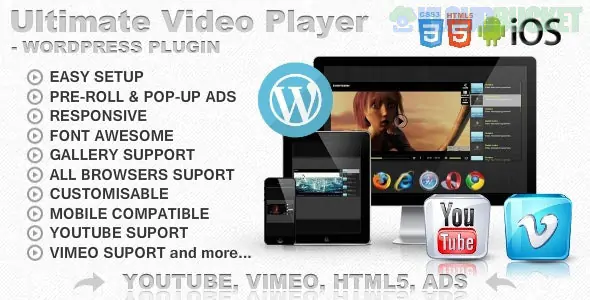
The **Ultimate Video Player** (often listed as "Ultimate Video Player with YouTube, Vimeo, Ads") by **FWDesign** is a high-performance WordPress plugin available on CodeCanyon. It is a favorite for users who want to host their own videos while seamlessly integrating content from external platforms.
In **2025**, it remains one of the most stable solutions for creators who need a professional "Netflix-style" or "YouTube-style" interface with built-in monetization.
---
### ## 1. Core Capabilities
* **Multi-Source Support:** Play self-hosted MP4s, YouTube (videos, playlists, channels), Vimeo (including Vimeo Pro), HLS (m3u8), and DASH (mpd) streams.
* **Smart Advertising System:** * **Pre-roll:** Video ads that play before your main content.
* **Mid-roll/Post-roll:** Ads at specific intervals or at the end.
* **Pop-up Ads:** Image or HTML ads that appear over the video at a timestamp you choose.
* **Ad-Skip:** Customizable "Skip Ad" buttons after a set number of seconds.
* **Custom Video Galleries:** Choose between a side-aligned playlist (right or left) or a bottom-aligned gallery.
* **Device Optimized:** Fully responsive and includes specific "touch" support for mobile browsers (iOS and Android).
### ## 2. Monetization & Ads Logic
The plugin allows you to manage ads independently for every video in a playlist.
* **VAST/VMAP:** Supports industry-standard XML for sophisticated ad serving.
* **Custom Ad Sources:** You can link directly to an MP4 file on your server to use as a commercial.
* **Interaction:** You can set "Click-through URLs" so that when a viewer clicks the ad, they are taken to a product page or external site.
---
### ## 3. How to Set Up a Player
1. **Installation:** Upload the ZIP via **Plugins > Add New** in WordPress.
2. **Create a Playlist:** Go to the **Ultimate Video Player** menu and create a new playlist. Add your YouTube links or upload your MP4 files here.
3. **Configure the Player:** * Select a **Skin** (Minimal, Silver, Classic, etc.).
* Set your **Ads** in the "Advertising" tab of the specific video entry.
4. **Embed:** Copy the generated **Shortcode** (e.g., `[uvp id="1"]`) and paste it into any Gutenberg block, Elementor widget, or Classic editor page.
---
### ## 4. Technical Comparison
| Feature | Ultimate Video Player | Default WP Embed |
| --- | --- | --- |
| **Playlists** | Yes (Searchable/Sortable) | No |
| **Monetization** | Pre-roll/Pop-up Ads | No |
| **Private Video** | Password & Domain Protected | Public Only |
| **Branding** | Custom Logo/Watermark | Platform Branding (YouTube) |
| **Subtitles** | Multi-language (.vtt) | Single/Limited |
---
### ### Pro Implementation Tip: Protecting Your Content
If you are selling a course or exclusive content, use the **Domain Protection** feature. This prevents other people from grabbing your player’s embed code and putting it on their own websites, ensuring your bandwidth is only used by *your* visitors.
[Ultimate Video Player WordPress Plugin Documentation & Demo](https://codecanyon.net/item/ultimate-video-player-wordpress-plugin/8374433)
**Would you like me to guide you through the specific settings to set up a "Skip Ad" button for your pre-roll videos?**
Subscribe to access unlimited downloads of themes, videos, graphics, plugins, and more premium assets for your creative needs.
.jpg) Help Us to Buy More New Theme/Plugin
Help Us to Buy More New Theme/Plugin
Published:
Dec 28, 2025 17:32 PM
Version:
v7.0.9
Category:
Author:
OtherLicense:
GPL v2 or Later