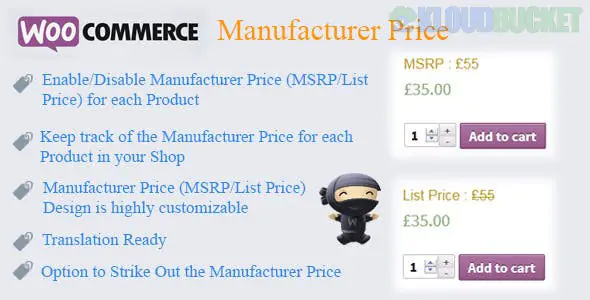
This functionality is managed in WooCommerce using plugins that allow you to set and display the Manufacturer's Suggested Retail Price (MSRP) or Recommended Retail Price (RRP) alongside your actual selling price.1
Displaying the manufacturer's suggested price helps build customer trust and highlights potential savings, even if the product is not technically on "sale."2
Here are the key features and options you should look for in these types of WooCommerce plugins:
Feature
Description
Data Entry
Adds a dedicated "MSRP" or "RRP" field to your product edit screens (for both simple and variable products) for easy data input.
Display Control
Allows you to choose where the MSRP/RRP is displayed (e.g., product page, shop archives, cart page) and when it is shown (e.g., always, only if it differs from the sale price, or only if your price is lower).
Visual Customization
Provides options to style the display, such as using a strike-through effect (similar to a sale price), changing the label (MSRP, RRP, or custom text), and adjusting text format (bold, italic).
Savings Highlight
Automatically calculates and displays the customer's savings as either a monetary amount (e.g., "You save $20") or a percentage (e.g., "You save 20%").
Bulk Management
Supports bulk editing of MSRPs via the WordPress admin panel and often works with CSV import/export tools for large catalogs.
For more complex stores, some premium versions offer:
Geo-location based MSRP: Set different suggested prices based on the customer's country or currency.3
User Role Visibility: Show the MSRP only to specific user roles (e.g., wholesale customers) and hide it for retail customers.4
Schema Markup: Includes schema-ready markup to ensure the pricing information is correctly formatted for search engines, which can be important for rich results.5
Popular plugins that offer this functionality include:
MSRP Pricing for WooCommerce (by Ademti Software)6
MSRP (RRP) Pricing for WooCommerce (by WPFactory)7
RRP / MSRP Product Pricing (by W7S)8
If you don't want to use a plugin, it is possible to add the MSRP field and display logic using a custom PHP code snippet in your theme's functions.php file, but this requires coding knowledge.9
Would you like me to find the pricing details for one of the popular MSRP plugins, or are you looking for information on wholesale/dynamic pricing instead?
Subscribe to access unlimited downloads of themes, videos, graphics, plugins, and more premium assets for your creative needs.
.jpg) Help Us to Buy More New Theme/Plugin
Help Us to Buy More New Theme/Plugin
Published:
Dec 16, 2025 15:36 PM
Version:
v2.6.0
Category:
Author:
OtherLicense:
GPL v2 or Later