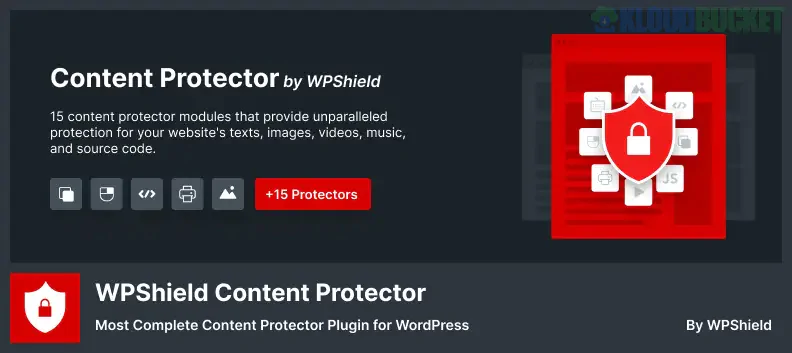
The WPShield Content Protector is a comprehensive, multi-layered WordPress plugin designed to prevent unauthorized copying, downloading, and theft of your website's content, including text, images, videos, and source code.1
It goes far beyond simple right-click blocking by employing multiple techniques to deter both casual users and more advanced thieves from copying your intellectual property.2
The plugin includes numerous "protectors," often totaling 15 or more in the premium version, which target various methods of content theft:
Content Type
Protection Method
Details
Text & Code
Text Copy Protector
Disables text selection and common keyboard shortcuts (e.g., Ctrl+C, Ctrl+A, Ctrl+X, Ctrl+V, Ctrl+P, Ctrl+S).
Source Code
Developer Tools Protector
Disables the F12 key, Inspect Element, and other shortcuts (like Ctrl+Shift+I or ⌘+⌥+I) to prevent accessing your source code.
Right-Click
Right Click Menu Protector
Completely disables or limits the right-click context menu, specifically blocking options like "View Page Source" and "Save As."
Images/Videos
Download Protector
Disables right-click, drag-and-drop, and the "Save Image As" function. The premium version may include Hotlink Protection and remove video player download buttons.
Printing
Print Protector
Disables the print shortcut (Ctrl+P) and can clear the page content or add a watermark when printing is attempted (premium).
Advanced Bots
Feeds Protector
Disables or limits RSS feed access to prevent content-scraping bots and auto-blogging tools from stealing your posts.
IDM Protector (Premium): Specifically disables browser extensions like Internet Download Manager (IDM) from downloading your media files.3
Disabled JavaScript Protector (Premium): Prevents users from accessing your site if they try to bypass protection by disabling JavaScript in their browser, often by clearing the page content or redirecting them.4
Email/Phone Number Protector (Premium): Obfuscates emails and phone numbers to hide them from web crawlers and spam bots while keeping them functional for human visitors.5
Custom Alerts: Allows you to display customizable popup messages or an Audio Warning Alert (premium) when a user attempts a restricted action, serving as a copyright reminder.
Per-Post/Role Control: You can usually choose to enable or disable protection for specific posts/pages and allow certain user roles (like Admins or Editors) to bypass the restrictions.6
In summary, WPShield Content Protector is designed to be a comprehensive defense mechanism, moving beyond basic right-click blocking to cover the advanced methods content thieves often use.7
Would you like a comparison of this plugin with other top-rated content protection plugins like WP Content Copy Protection & No Right Click?
Subscribe to access unlimited downloads of themes, videos, graphics, plugins, and more premium assets for your creative needs.
.jpg) Help Us to Buy More New Theme/Plugin
Help Us to Buy More New Theme/Plugin
Published:
Dec 16, 2025 15:31 PM
Version:
v1.4.0
Category:
Author:
OtherLicense:
GPL v2 or LaterTags: